Turn a private Discord server into an OpenClaw workspace
Give each Discord channel its own OpenClaw session: #research, #home, #writing. Bot setup, intents, guild allowlist and mention rules, all from the browser.
· ranx.cloud
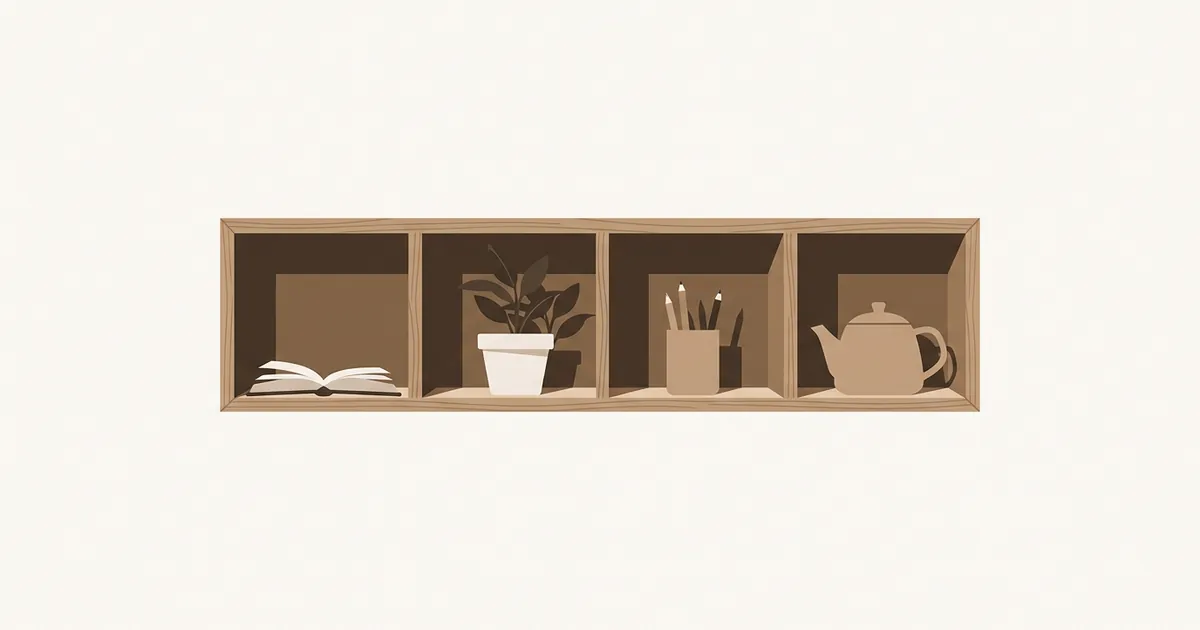
You end up with a private Discord server where every text channel is its own OpenClaw conversation. #research keeps its own context, #home keeps its own, and DMs with the bot go to your main session. You talk to it from Discord on desktop or phone. OpenClaw runs as a bot account on Discord's gateway, so you don't need to expose any webhook.
This setup suits one person, or a few people who trust each other. A public community server is a different threat model. Read the group-chat safety post before you try that.
Why channels-as-sessions works
OpenClaw keys group sessions per channel: agent:<agentId>:discord:channel:<channelId>, and threads add :thread:<threadId> (routing docs). Context in #research never leaks into #home, and a long-running thread can hold one task without polluting the parent channel. The agent also sees the channel name, so naming a channel #meal-planning already tells it what the room is for.
One catch, from the Discord setup docs: long-term memory (MEMORY.md) loads automatically only in DM sessions. In guild channels the agent has to fetch it with its memory tools. Put instructions that should apply everywhere in AGENTS.md or USER.md.
Create the bot (Discord side)
- Go to the Discord Developer Portal → New Application. Name it after your agent.
- Open Bot. Set the username.
- Under Privileged Gateway Intents, turn on Message Content Intent, which normal guild messages need. Also turn on Server Members Intent, which you need if you later allowlist by role or match names to IDs. Leave Presence Intent off unless you need it.
- On the same page click Reset Token and copy the token. Despite the name, this generates your first token. Treat it like a password.
- Open OAuth2 → URL Generator. Tick the scopes
botandapplications.commands. Under bot permissions, tick View Channels, Send Messages, Read Message History, Embed Links and Attach Files, plus Add Reactions if you want them. If the bot will post in threads or forum channels, also tick Send Messages in Threads. - Open the generated URL, pick your server, click Continue.
- In the Discord app: User Settings → Developer → Developer Mode on. Right-click the server icon → Copy Server ID. Right-click your avatar → Copy User ID. Keep both.
- Right-click the server icon → Privacy Settings → turn on Direct Messages. Pairing happens over DM, so the bot has to be able to DM you.
Connect it (OpenClaw side)
- In the Control UI, open Settings → Channels, pick Discord under Add a channel (or find it under More channels…), and choose Guided step-by-step setup. Discord is an official plugin (
@openclaw/discord), so the first run may install it. - Paste the token at Enter Discord bot token.
- At Discord allowFrom (usernames or ids), enter your user ID. Usernames are resolved to IDs, but an ID can't drift.
- Finish. The Discord card should show Running.
- DM the bot. If you left DM policy at pairing, it answers with a code. Approve it in Settings → Channels → DM access requests, and tick Also make this sender the first command owner, since that's you.
The token is stored as a plain string in openclaw.json. That works. You can also keep it under Settings → Secrets and reference it, but you don't have to.
Allow the server, then the channels
DMs work now, but the bot ignores the server until the guild is allowlisted. Open Settings → Advanced, switch to Raw, and merge this into channels.discord:
{
  channels: {
    discord: {
      groupPolicy: "allowlist",
      guilds: {
        "123456789012345678": {          // your Server ID
          requireMention: false,         // private server: answer every message
          users: ["987654321098765432"], // your User ID
        },
      },
    },
  },
}
With no channels map under the guild, the bot works in every channel it can see. Adding even one channel entry turns the map into an allowlist, and every unlisted channel goes quiet. That's the most common cause of "it worked yesterday" reports. To scope it on purpose:
{
  channels: {
    discord: {
      guilds: {
        "123456789012345678": {
          requireMention: false,
          users: ["987654321098765432"],
          channels: {
            "111111111111111111": { systemPrompt: "Research desk. Cite sources with links." },
            "222222222222222222": { systemPrompt: "Household logistics. Short answers." },
            "333333333333333333": {
              requireMention: true,
              users: ["987654321098765432", "555555555555555555"],
              tools: { deny: ["exec", "write", "edit"] },
            },
          },
        },
      },
    },
  },
}
Use channel IDs as keys (right-click → Copy Channel ID). Names and slugs also match, but an ID survives a rename. The third channel shows how a shared room can let a second person in while removing shell and file-writing tools for that room only.
If someone else is in the server, keep requireMention: true for any channel they can post in. On a server that's only you, false makes it feel like a normal chat.
Useful Discord-specific settings
{
  channels: {
    discord: {
      streaming: { mode: "progress" },  // one edited "working…" message; default is off
      replyToMode: "first",
      historyLimit: 20,                  // recent channel messages added as context
      threadBindings: { enabled: true, idleHours: 24 },
    },
  },
}
Discord caps messages at 2,000 characters, so OpenClaw splits longer replies (textChunkLimit 2000, maxLinesPerMessage 17). If long answers look fragmented, ask for shorter replies in the channel's systemPrompt. You can also have the agent attach a file.
With threadBindings on, the agent can spin a subagent into its own Discord thread, and that thread stays bound to the child session until it sits idle for idleHours. This works well for "go research X and report back" while you keep talking in the parent channel.
Costs and limits
Discord charges nothing for a bot. The spend is your model provider, and in this setup it scales with how many channels you actively use, because each channel carries its own history.
A rough plan, using Claude Sonnet 5.5 at $2 / $10 per million input/output tokens (Anthropic pricing, as of November 2026):
turn with ~25,000 input tokens (system + tools + channel history) and ~600 output:
  25,000 × $2  / 1e6 = $0.050
     600 × $10 / 1e6 = $0.006
  ≈ $0.056 per turn

4 active channels × 10 turns/day = 40 turns ≈ $2.24/day ≈ $67/month uncached
Cache reads ($0.10 per million on Sonnet 5.5) cut the repeated part sharply, so real bills usually land well below that. Check Usage in the Control UI after a few days and adjust. Lowering historyLimit and setting a cheaper model for a low-stakes channel are the two biggest levers.
On the Discord side, the main limit you'll hit is the 2,000-character message cap. The bot's REST rate limits are handled by the plugin and rarely matter for one person's traffic.
What goes wrong
The bot is online but ignores guild messages. Usually Message Content Intent is off, or was changed while the gateway was running. The troubleshooting page says to restart the gateway after changing intents. The quickest way is to send /restart in the Control UI chat (an owner-only command, on by default). "Channels unresolved" and "Message Content Intent is limited" errors in older reports (#3265, #48969) came down to intents.
requireMention: false but it still won't answer. The three causes the docs list: groupPolicy: "allowlist" without a matching guild entry, requireMention placed at the wrong level (it belongs under the guild or a channel entry), or the sender is missing from users.
No pairing code arrives. The bot can't DM you. Turn on Direct Messages in the server's privacy settings, then DM the bot again. Codes expire after an hour.
One new channel entry silenced the rest. See above: a channels map is an allowlist. Add the missing channels or remove the map.
Two bots talk to each other forever. allowBots defaults to true in Discord. If you add another bot to the server, set allowBots: "mentions" or false on the guild, or configure channels.defaults.botLoopProtection.
Hosting notes. On ranx.cloud, an instance can be restarted briefly now and then, for example for maintenance or updates. Discord reconnects on its own after that, but a reply that was mid-generation at that moment is lost. Send the message again.
Variations
- Route the whole server to a second agent with a different model and workspace by adding a
bindingsentry withmatch: { channel: "discord", guildId: "<server id>" }. The Slack post shows the same pattern. - Add a
#dailychannel and point a scheduled Automation's delivery atchannel:<channelId>.